The Microsoft Exchange Client Access Server Information Disclosure vulnerability, frequently found in Pentest and Tenable scans, is a vulnerability that can disclose some configuration or system information without additional interaction on the server. This makes it easier for attackers to gain prior knowledge about the system, allowing them to target other vulnerabilities.
The recommended solution to this problem is to configure the IIS server to reject requests that do not have a Host header. This can be configured using the URL Rewrite module for IIS (https://www.iis.net/downloads/microsoft/url-rewrite).
To improve security, an effective URL Rewrite rule that will immediately terminate the connection when it detects requests without a Host header to prevent potential security vulnerabilities can be defined as follows.
Steps to Create Host Header Filter on IIS
Open the URL Rewrite module from the control panel of the application.
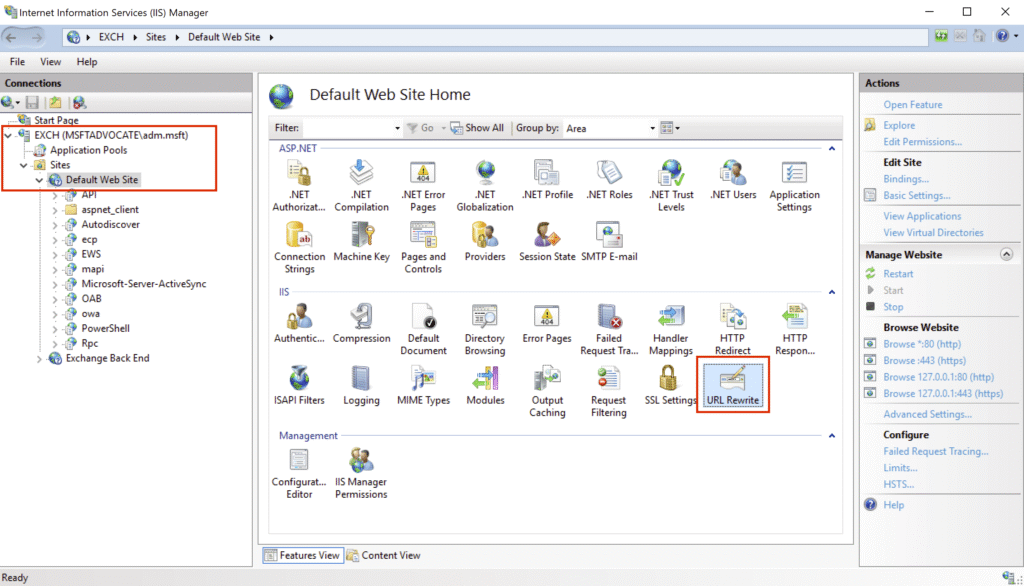
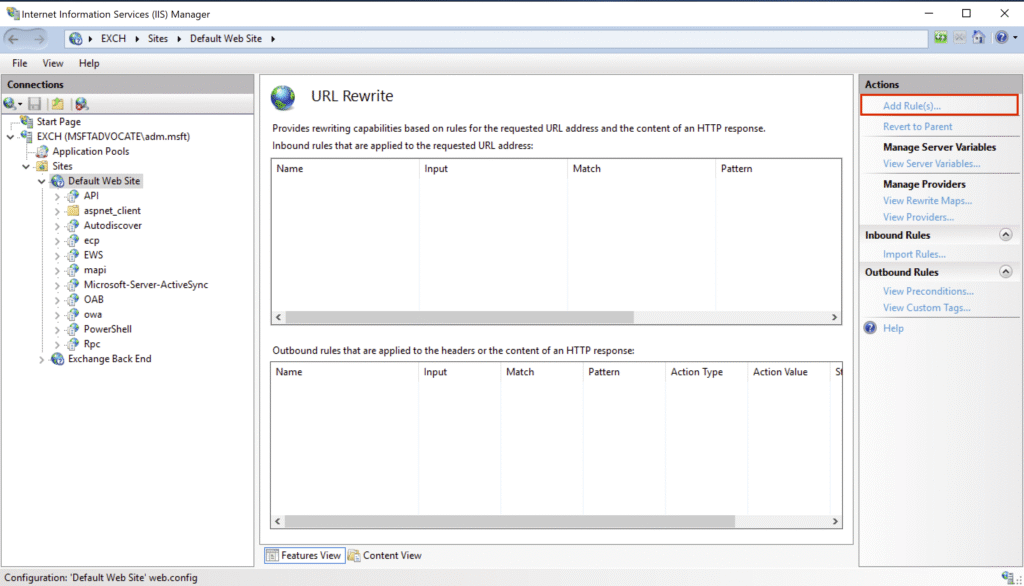
Click Add Rules from the “Actions” section in the right panel.
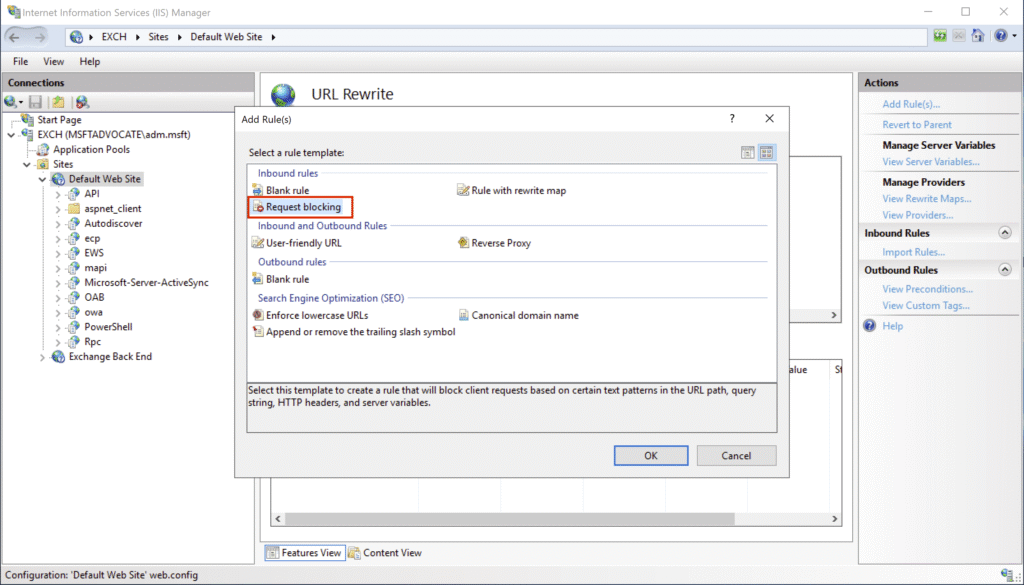
In the window that opens, select the Request Blocking rule and click OK.
In the new rule configuration screen, apply the following settings.
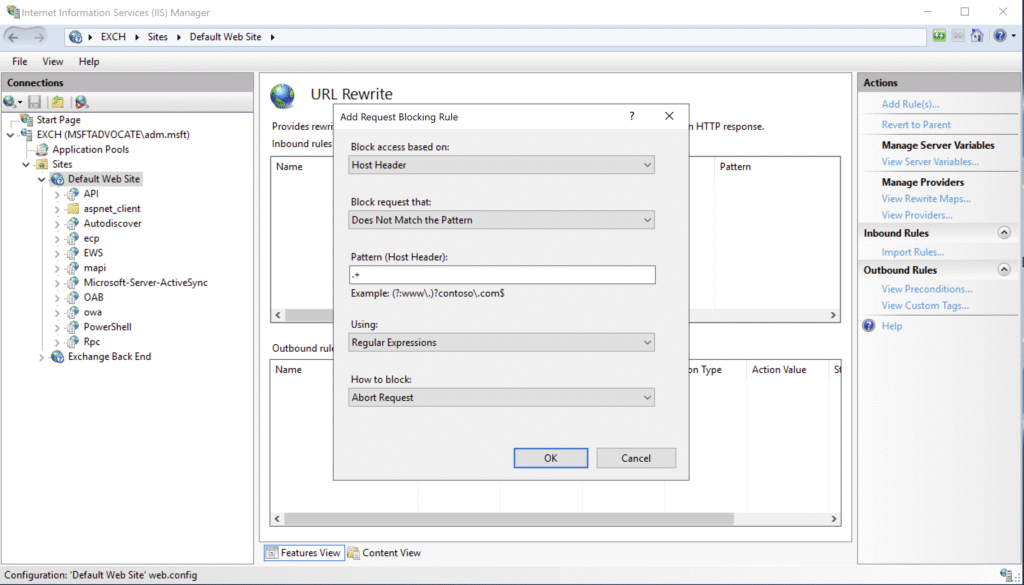
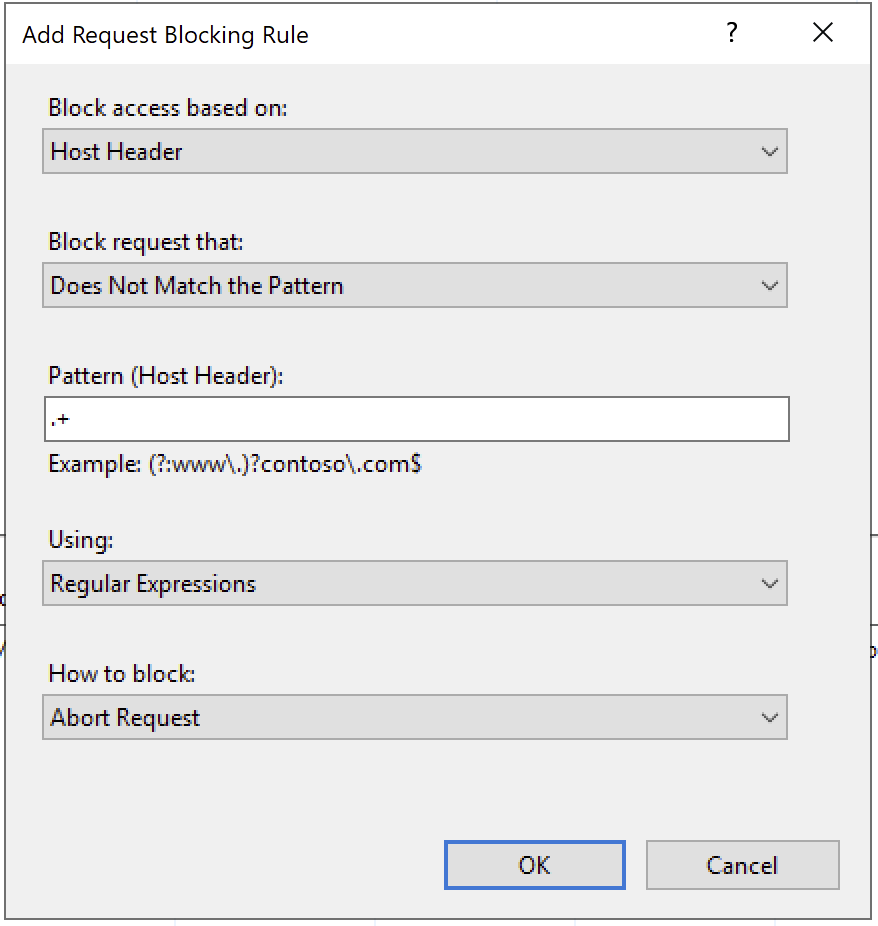
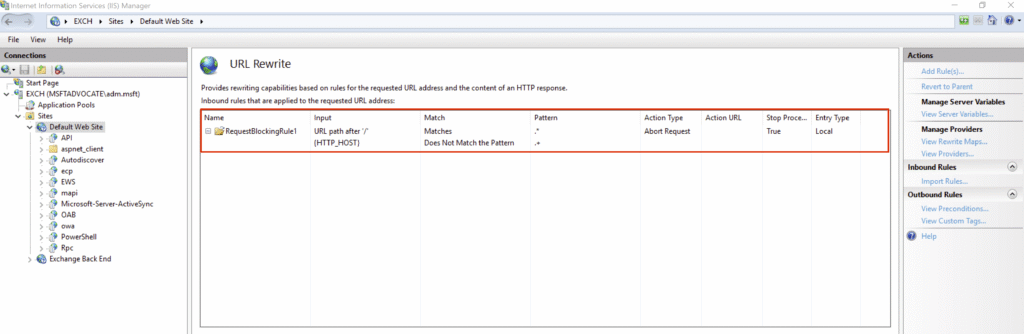
After completing the settings, click OK. The rule you created will now appear in the list of URL Rewrite rules.
References

Related Posts

TCPKeepAlive Not Set Error : Without this value the KeepAliveTime defaults to two hours, which can cause connectivity and performance issues between network devices such as firewalls and load balancers depending on their configuration
MSMQ Windows Feature Installed True – This feature is no longer required and can be removed