
As a service administrator in the Microsoft Intune environment, we often need to clean up old or unused device registrations to maintain order. These types of registrations can arise from devices used for testing purposes, personnel changes, or users acquiring new devices. However, this situation can seriously affect the accuracy of device compliance reports.
This is where Intune’s “Device Cleanup Rules” feature comes into play. This feature allows us to automatically remove inactive, orphaned, or long-unused devices from the system after a specified period. This reduces manual workload and enables us to manage our environment with more up-to-date and accurate data.
You can activate this rule by following the steps below.
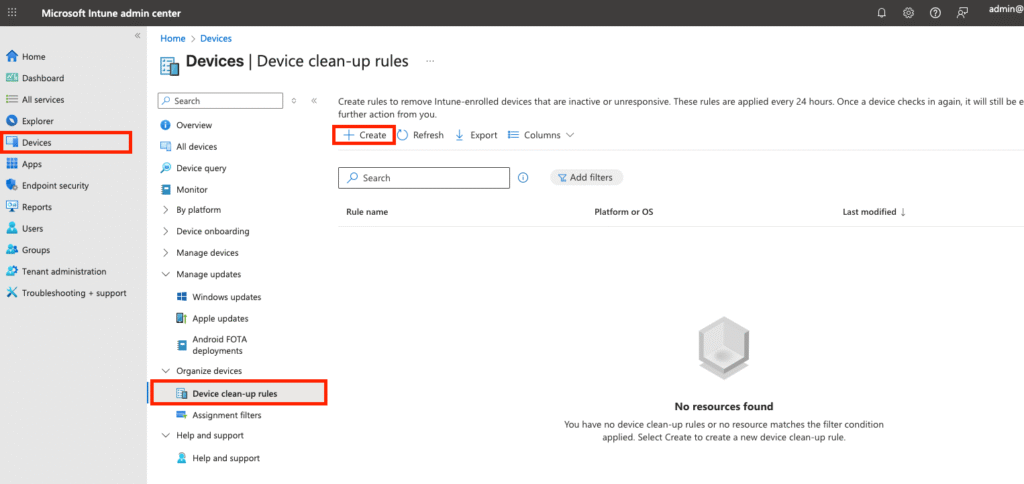
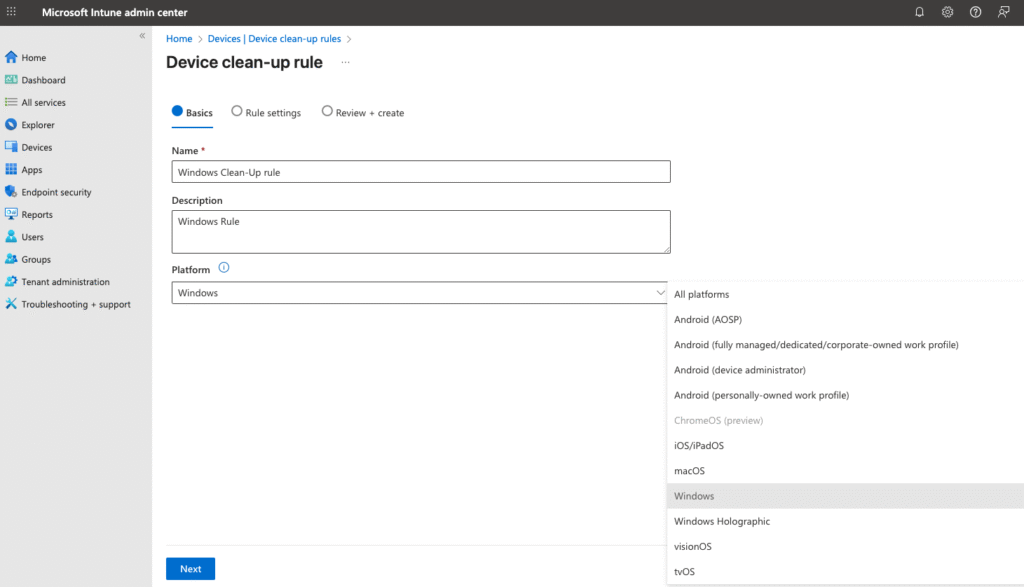
You select the device platform on which you want to write the rule. You can write separate rules for each platform or write the same rule for all devices.
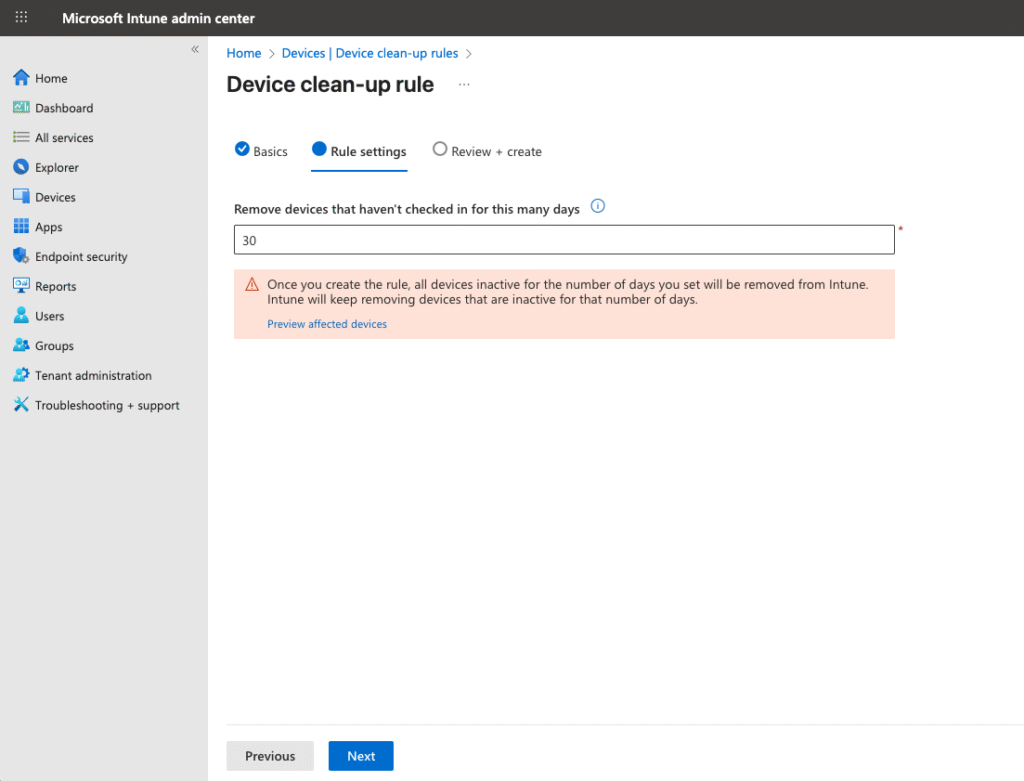
You can enter a number between 30 and 270 days. Microsoft allows us to set a minimum of 30 days and a maximum of 270 days.
I entered the 30-day rule for Windows devices, checked my rule, and clicked create.
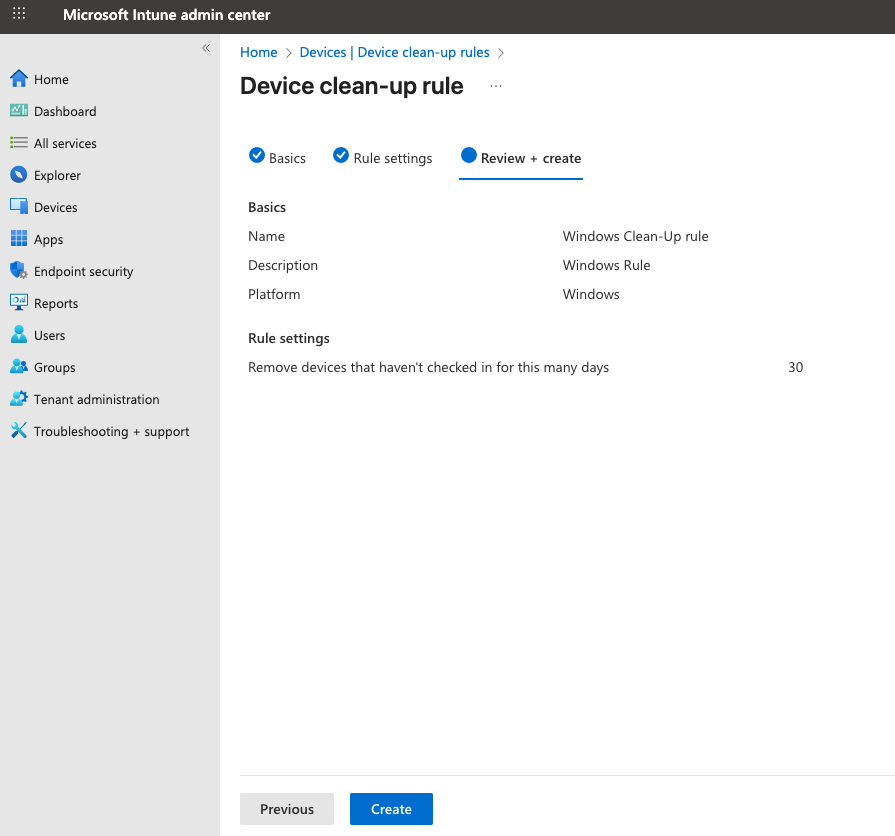
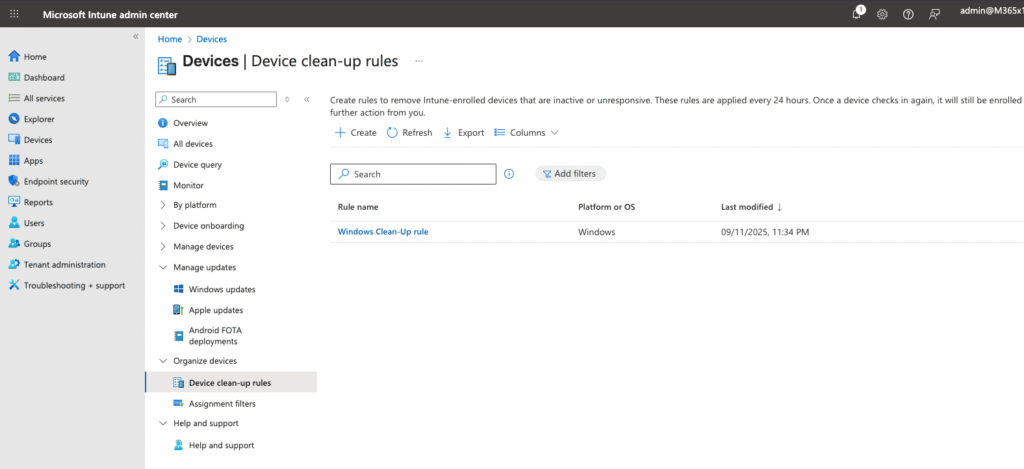
Our rule appears to be configured as follows, and from now on, Windows devices that are inactive on the specified day will be automatically removed from Intune.
References
