Transport Layer Security (TLS) is one of the most critical security components in modern Windows Server environments. Incorrectly configured or outdated TLS versions can expose systems to security vulnerabilities, compliance issues, and compatibility problems with modern applications and cloud services.
Using PowerShell to audit TLS settings provides administrators with a fast and reliable method to verify which TLS protocols are enabled or disabled across Windows Servers. This approach is especially valuable during security assessments, hardening projects, Active Directory migrations, and compliance reviews.
In this article, we will demonstrate how to use a PowerShell script to check TLS configurations on Windows Server systems, helping administrators identify insecure protocol versions such as TLS 1.0 and TLS 1.1, while validating support for modern standards like TLS 1.2 and TLS 1.3.
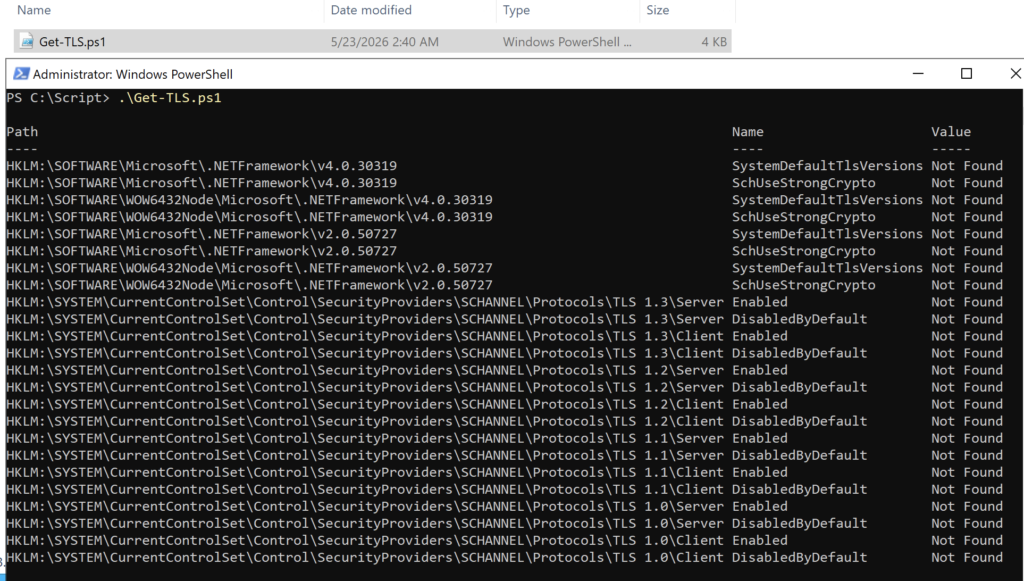
The Get-TLS.ps1 PowerShell script will check the below TLS settings on Windows Server:
- TLS 1.2 for .NET 4.x
- TLS 1.2 for .NET 3.5
- TLS 1.3
- TLS 1.2
- TLS 1.1
- TLS 1.0
Note: TLS 1.3 is only supported in Windows Server 2022 and later.
The below values can appear in the PowerShell console after running the script:
- Not found: there are no values configured
- 1: Enabled
- 0: Disabled