Microsoft 365 Information Rights Management (IRM) and Microsoft Purview Information Protection offer robust security features that ensure sensitive emails and files can only be viewed by authorized users. However, when sharing protected content with users in a different organization, you may encounter the “Configuring your computer for Information Rights Management” error due to misconfigured permissions or client settings. In this article, we will examine the necessary configurations to allow external users to securely access IRM-protected files and emails, as well as how to resolve this error step by step.
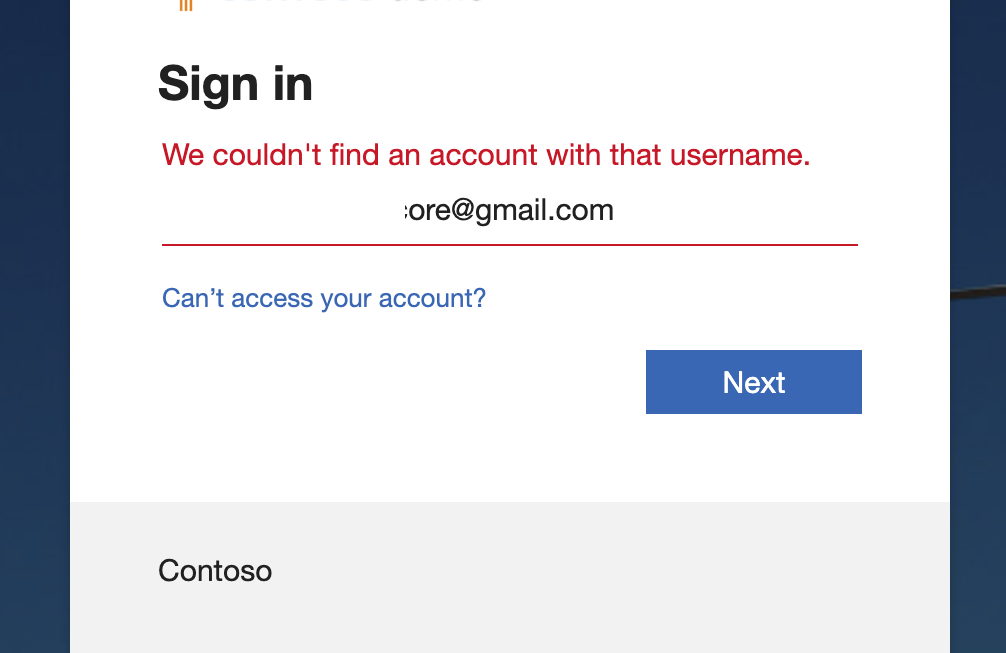
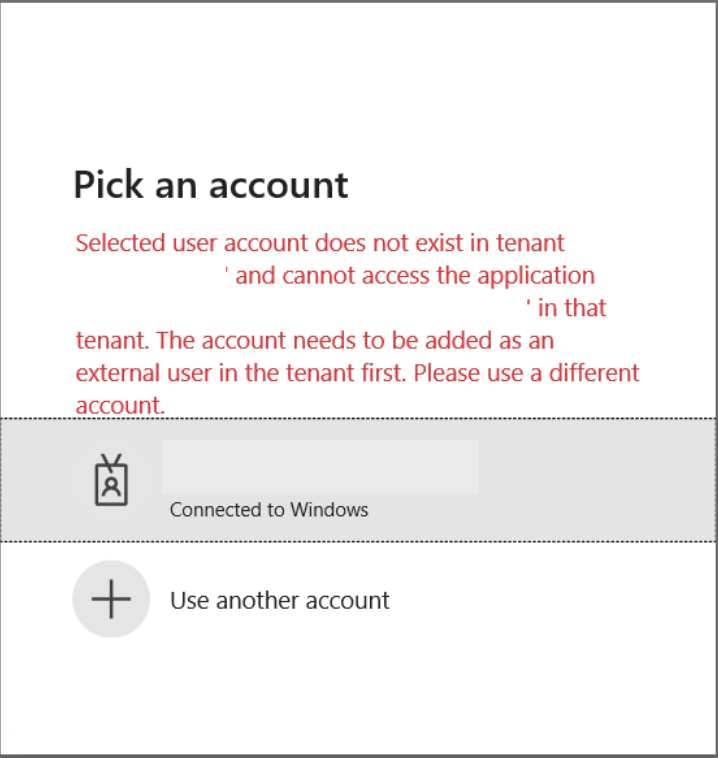
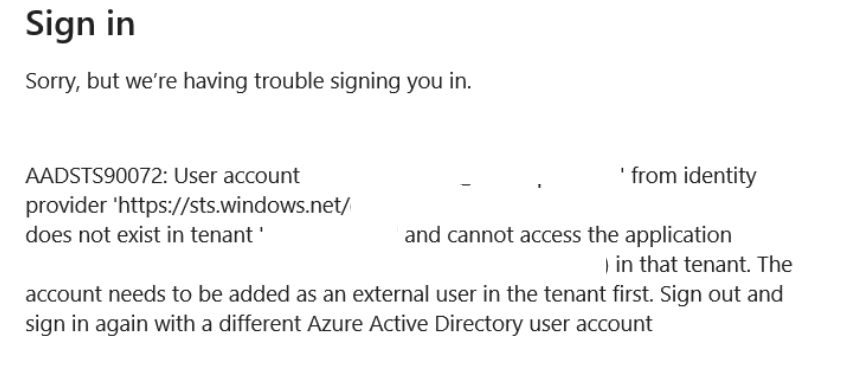
Screenshots of the sample errors are shown below.
ISSUE
Currently, when using classic Outlook for Windows or the new Outlook for Windows, you cannot open an OMEv2-encrypted email if it was sent from a separate organization (what we refer to as “another tenant”).
If you try to open the encrypted email, you may see the following error message:
“Configuring your computer for Information Rights Management…”
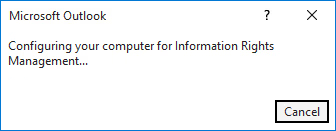
This issue is occurring in all Office channels when opening encrypted emails from other tenants.
STATUS: WORKAROUND
This issue is a configuration issue. Use the solution listed below to address it.
There are two options to workaround this issue:
- Exclude external users from Conditional Access requirements.
- Enable cross-tenant access to trust MFA claims from other organizations.
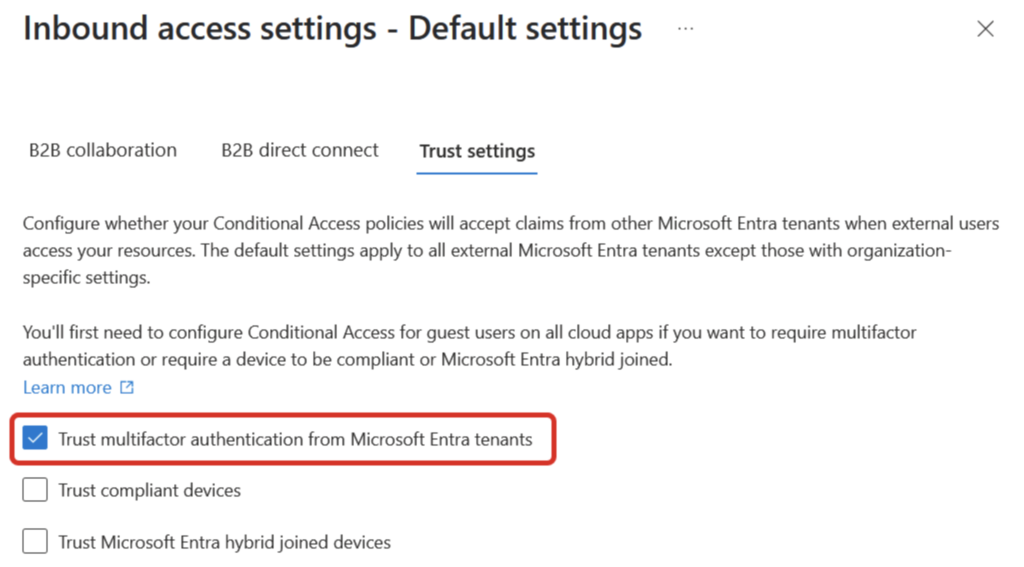
Enabling cross-tenant access is the simplest workaround as it allows encrypted emails you send to other external tenants to be opened successfully. To do this, follow these steps:
- Go to the Inbound access settings – Default settings page of the Microsoft Entra admin center. Then select Trust settings. You can access it via this direct link.
- Select the option for Trust multifactor authentication from Microsoft Entra tenants.
It is important to understand what this workaround does and does not do:
- Sending: If you apply the workaround, the only immediate benefit is that encrypted emails you send will be successfully opened by other external tenants.
- Receiving: For you to open an encrypted email sent to you from another external tenant, that sending organization will also need to perform the exact same workaround on their system.
References